
Visualize Your Fitness Journey with Interactive Maps
Workout Wanderer
You already recorded it. See what it means. Workout Wanderer reads the workouts already in Apple Health — from Apple Workout, Strava, Nike Run Club, anything — and turns them into interactive route maps with eight performance heat maps. Not another tracker. Every byte stays on your device.

New in Version 3.0
Your workouts, now on your Home Screen and available by voice — plus a top-to-bottom accessibility pass.
Home Screen Widgets
Last Workout puts your most recent route on your Home Screen. This Week keeps a running total of the week's work. Both read straight from the workouts already on your device.
Siri Shortcuts
Ask Siri about your last workout, this week's stats, or your personal records — no need to open the app. Available in the Shortcuts app too.
Accessibility, Properly
A 60-file VoiceOver pass. Every chart carries an audio-graph description, Dynamic Type scales throughout, and insight importance is now spoken rather than colour-coded alone.
Swift Charts
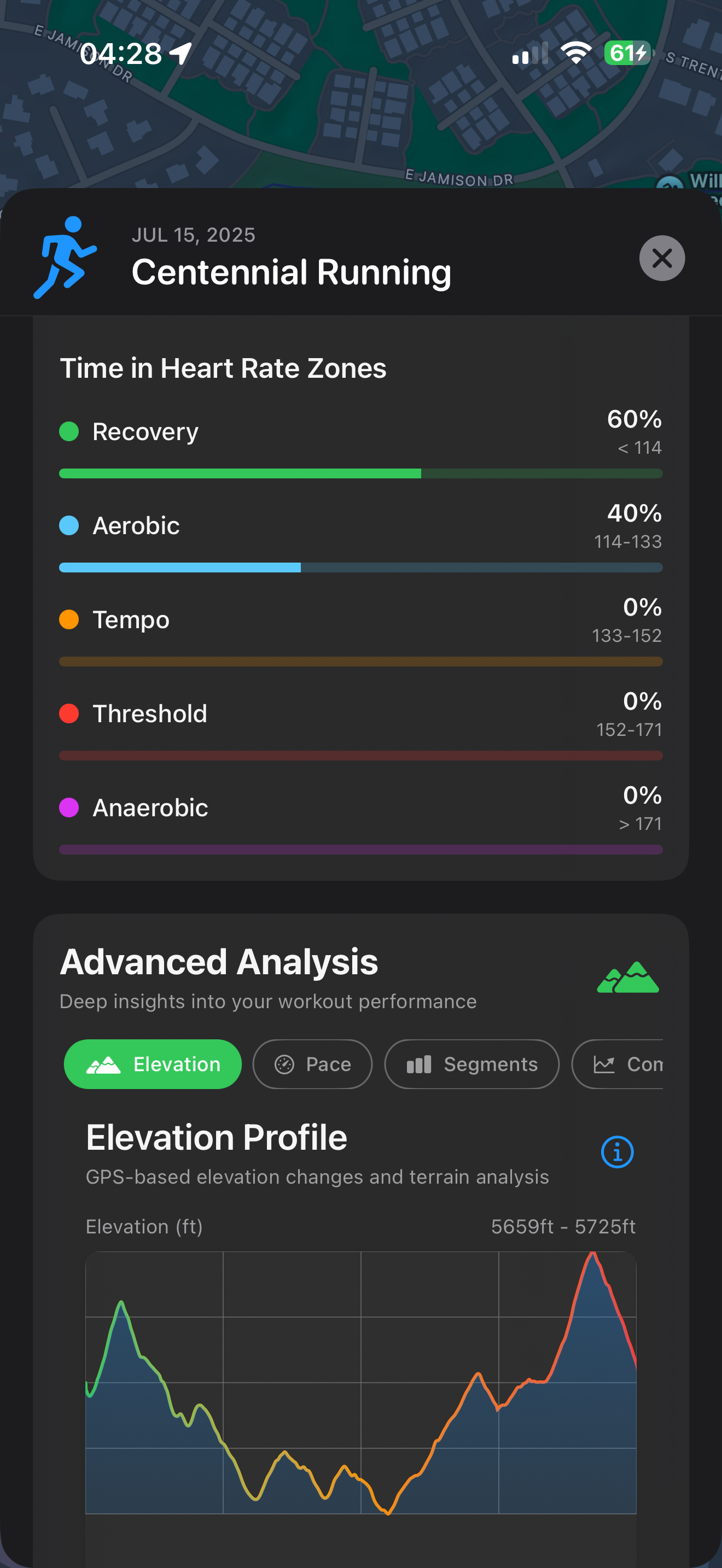
Elevation profile, pace, and segment performance rebuilt on Swift Charts — sharper, faster, and legible to VoiceOver.
Now in Spanish
The full interface, accessibility labels, widgets, and Siri phrases are available in Spanish alongside English.
Personal Records
Your bests, tracked across your history — and available by voice through Siri.
Powerful Features for Every Workout
Whether you're a casual walker or serious runner, Workout Wanderer turns the HealthKit data you already have into actionable insights with beautiful visualizations.
Route Visualization
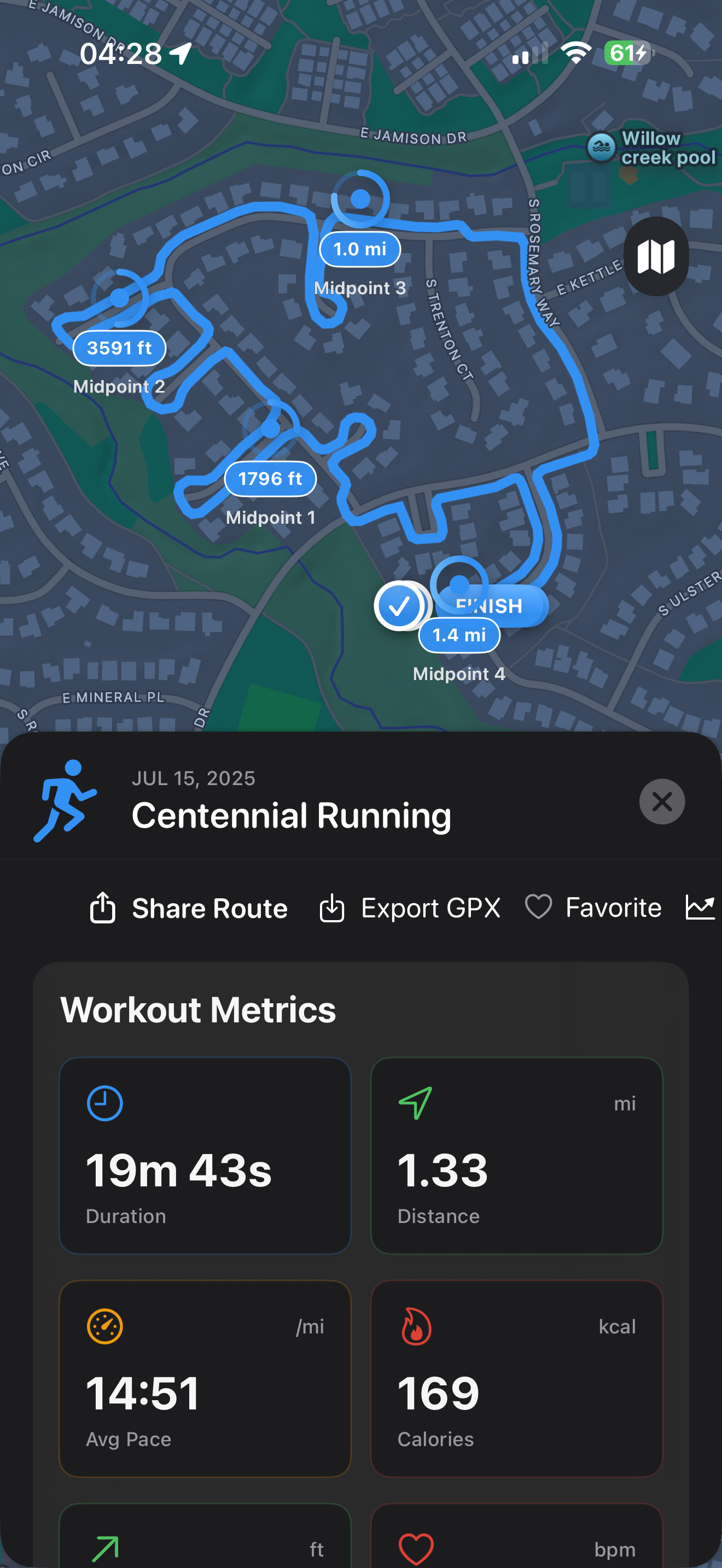
See every mile with interactive maps displaying your recorded workout routes. Visualize your HealthKit route data with beautiful, detailed mapping that shows exactly where you've been.
Heart Rate Analytics
Understand your workout intensity with comprehensive heart rate data. Monitor heart rate zones, track your cardiovascular fitness, and optimize your training.
Progress Analysis
Analyze your fitness journey over time with detailed statistics and progress visualization from your HealthKit history. See trends, identify improvements, and understand your workout patterns.
Privacy First
Your health data stays on your device. We prioritize your privacy with local data processing and secure HealthKit integration. Your data, your control.
🔥 Powerful Heatmap Visualizations
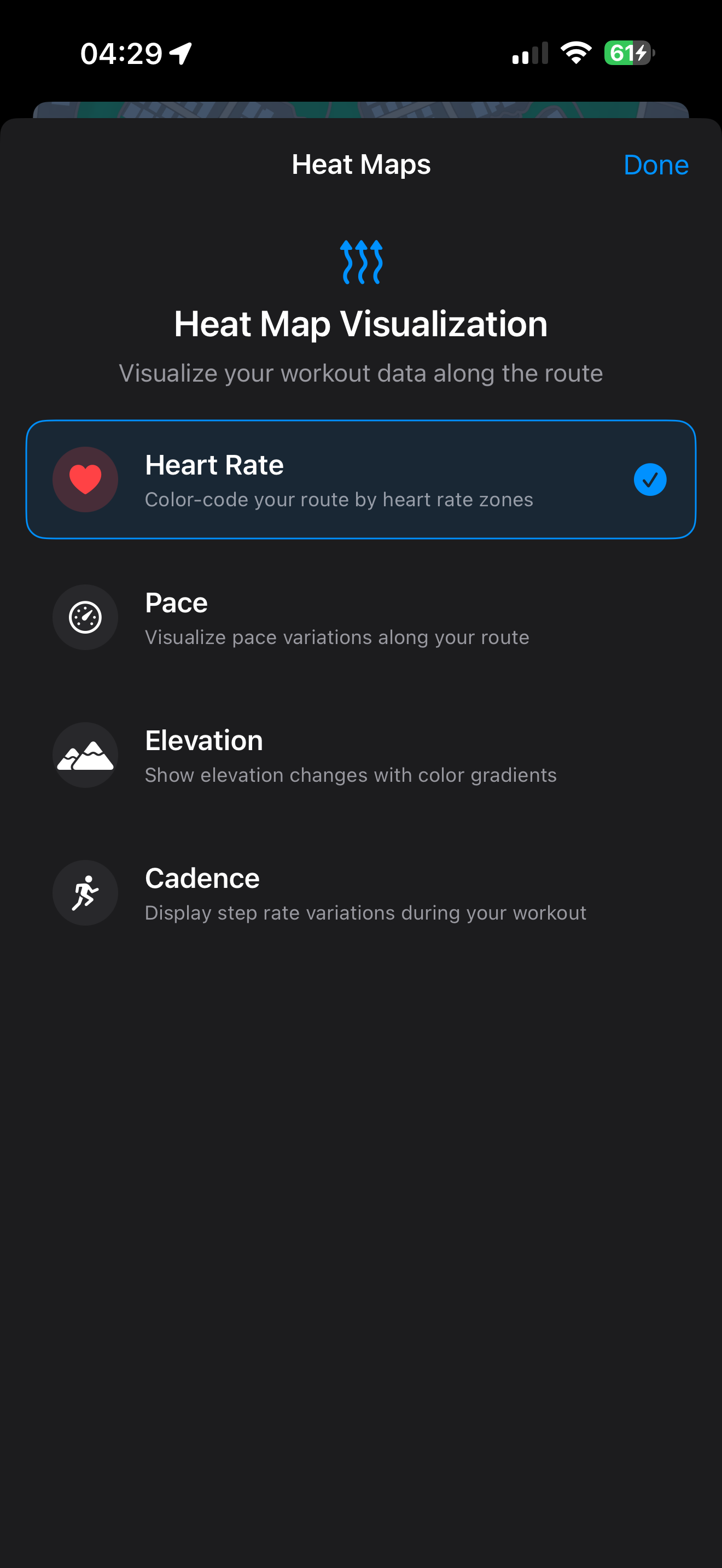
See your workout intensity like never before with advanced heatmap overlays that reveal patterns in your training.
Heart Rate Heatmaps
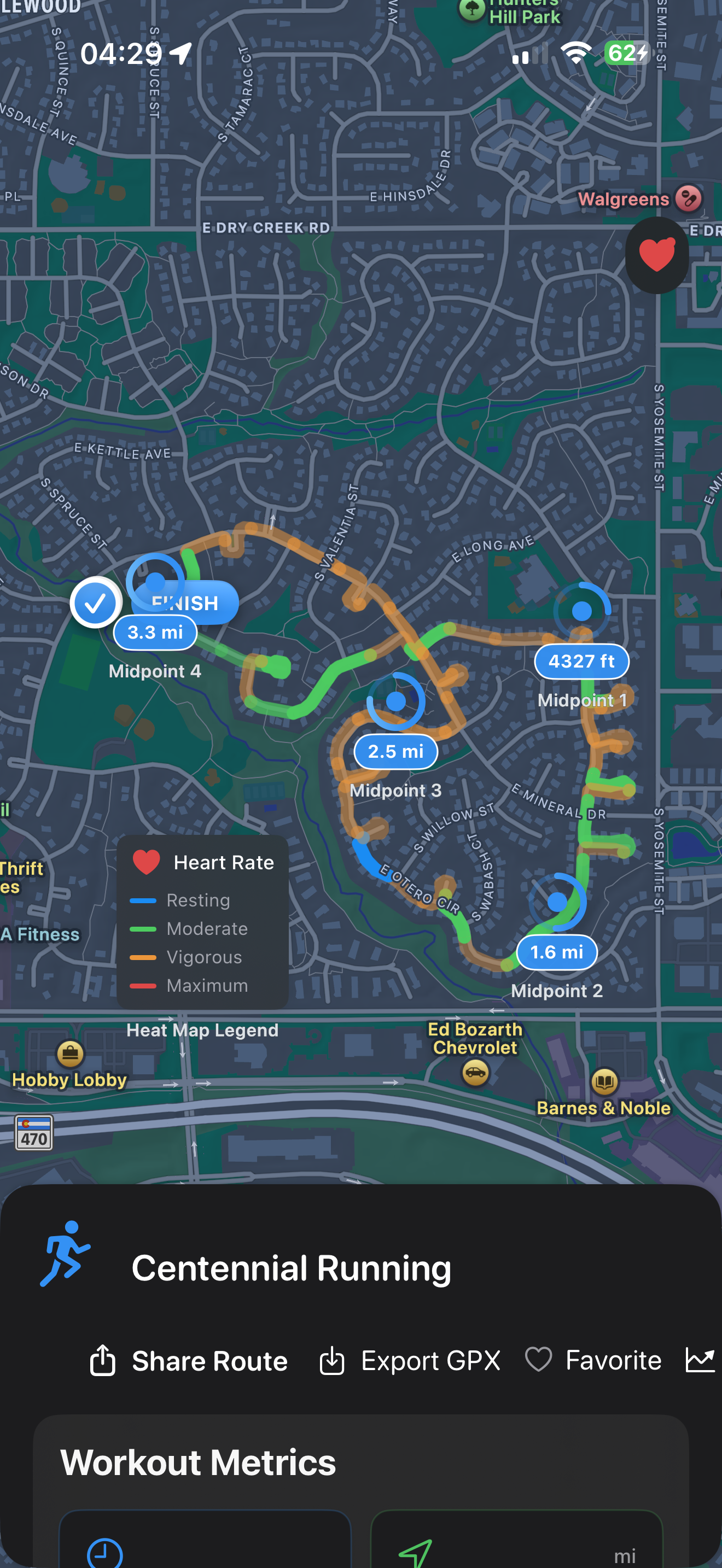
Visualize your recorded heart rate intensity along your entire route. See exactly where you pushed hardest and where you recovered, with color-coded overlays from cool blues to intense reds based on your HealthKit data.
Pace & Speed Mapping
Analyze your speed variations from recorded workouts. Identify your fastest segments, see where you slowed down, and understand your pacing patterns with gradient overlays based on your HealthKit workout data.
Elevation Heatmaps
Understand how elevation changes affected your performance. See altitude variations with color-coded gradients that show climbs, descents, and flat sections at a glance.
Zone Distribution
Instantly see how much time you spent in each training zone. Perfect for interval training, tempo runs, and understanding your workout distribution.
Why Heatmaps Matter: Traditional route maps show where you went, but heatmaps reveal how you performed. Identify patterns, optimize your training routes, and gain insights that numbers alone can't provide.
📊 Advanced Analytics & Insights
Go beyond basic metrics with comprehensive analysis tools that help you understand every aspect of your performance.
📉 Performance Metrics
- ✓ Split Analysis: Automatic mile/km splits from your recorded workouts
- ✓ Segment Comparison: Compare performance across recorded route segments
- ✓ Personal Records: Identify PRs from your HealthKit workout history
- ✓ Efficiency Metrics: Analyze cadence and stride from recorded data
❤️ Heart Rate Intelligence
- ✓ Zone Analysis: Time in each heart rate zone (Z1-Z5)
- ✓ Recovery Metrics: Heart rate recovery and variability
- ✓ Aerobic/Anaerobic: Training effect distribution
- ✓ Threshold Detection: Lactate threshold estimation
📈 Trend Analysis
- ✓ Weekly Patterns: Identify patterns in your workout history
- ✓ Monthly Progress: Visualize improvements from past workouts
- ✓ Seasonal Variations: Understand historical performance patterns
- ✓ Training Load: Analyze volume and intensity from HealthKit data
🎯 Smart Insights
- ✓ Workout Patterns: Discover insights from your workout history
- ✓ Performance Analysis: Understand when you perform best
- ✓ Route Insights: Analyze your most frequent routes
- ✓ Historical Trends: See long-term patterns in your data
Turn Your HealthKit Data Into Action
Every workout you've recorded tells a story. Workout Wanderer's advanced analytics help you understand what your HealthKit data is telling you, revealing insights from your workout history to help you train smarter.
Start Analyzing Your WorkoutsSee Workout Wanderer in Action
Experience the beautiful SwiftUI interface and powerful visualization features that bring your workout data to life.
🚀 Built with Modern Technology
Workout Wanderer leverages the latest iOS technologies to deliver exceptional visualization and analysis of your HealthKit workout data.
Swift 6
Built with Swift 6's strict concurrency for thread-safe, crash-free performance.
SwiftUI
Native iOS interface with smooth animations and responsive design patterns.
MapKit
Advanced mapping with iOS 18 features for visualizing your recorded workout routes.
HealthKit
Secure integration with Apple's health framework for privacy-first data access.
Actor Pattern
Modern concurrency with actor-based architecture for data integrity.
Observable
The Observable macro for reactive, efficient UI updates.
Performance Metrics
Requires iOS 18.2 or later • iPhone and iPad • Built with Swift 6 and SwiftUI
Ready to Visualize Your Fitness Journey?
Workout Wanderer is now available on the App Store! Transform your existing HealthKit workout data into beautiful, interactive route visualizations with comprehensive analytics.
Free download • iOS 18.2 or later • iPhone and iPad